
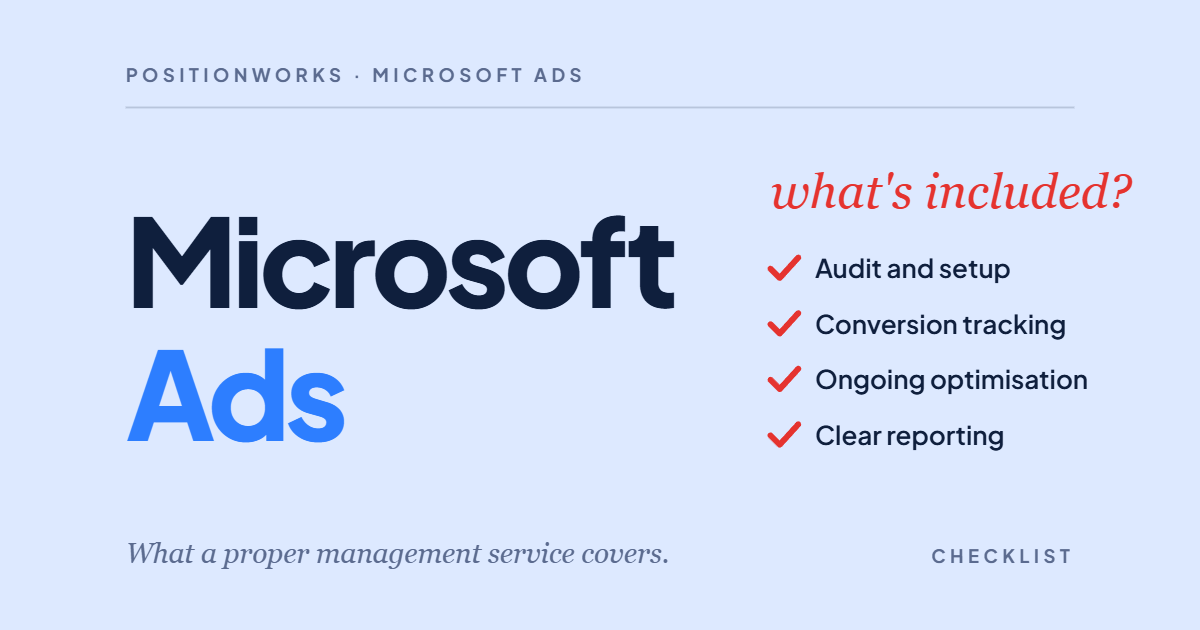
Look for setup or an account audit, checked campaign imports, conversion tracking, ongoing management and reporting on qualified enquiries. You also need to know who controls the account, what the fees cover and who approves spending decisions. I’d get those basics in writing before any adverts go live.
Comparing quotes? “Full management” doesn’t tell you much. One might cover tracking repairs and regular calls. Another might leave those to you. Here’s what I’d check as a UK small business buying support for search campaigns.
What should the setup or account audit cover?
Start with what you sell, where you work and what makes an enquiry worthwhile. Then check whether the account is ready to spend. You don’t necessarily need a campaign for every service from day one.
For a new account, ask for a campaign plan covering services, locations, keywords, landing pages and budget. An existing account needs a look at past spend, search terms, tracking, targeting and lead quality. A list of changes helps. Knowing what to fix first, and why, is more useful.
Keep control of access. Your business should be able to see the account and its history, while the manager gets the access they need. Agree who handles billing and who approves spending changes. Changing providers shouldn’t mean leaving everything behind.
What needs checking after a Google Ads import?
Check the imported campaigns properly before they run. Copying them across saves setup time. It doesn’t replace checks specific to Microsoft Ads.
Microsoft’s Google Ads import guidance highlights differences in targeting, bids, budgets and negative keywords. Broad-match negatives from Google become phrase-match negatives in Microsoft Ads, so exclusions need checking too.
- Budgets, currency, bids, bidding strategy and campaign status.
- Locations, location options, schedules, devices and network distribution.
- Keywords, negatives, adverts, assets and landing-page links.
- Conversion goals and UET tracking, rather than an assumption that Google’s setup transfers.
- Recurring import settings, so a later sync doesn’t undo deliberate changes.
I’d ask who signs off those checks. Still deciding whether Microsoft belongs in your plan? Start with my Google Ads vs Microsoft Ads guide for UK small businesses. You don’t have to run both.
What should conversion tracking and consent include?
Tracking should measure actions that matter to your business and respect visitors’ consent choices. A tag marked “active” doesn’t prove it’s recording genuine enquiries correctly.
For website conversions, agree who installs or checks Universal Event Tracking (UET), sets up the conversion goals and tests them. Microsoft’s UET installation guidance explains the tag setup. A completed enquiry form needs to be distinguishable from a button click or ordinary page visit.
For UK visitors, the setup needs to pass consent signals appropriately. Microsoft’s UET Consent Mode guidance explains how. Your manager should agree with your website provider who handles the cookie banner, tag configuration and testing. Consent Mode alone doesn’t settle all your privacy obligations.
Ask for the whole journey to be tested, with consent both accepted and rejected. Check for duplicate conversions and goals firing before a form succeeds. If calls matter, agree how to measure them and whether a separate service costs extra. Keep personal enquiry details out of tag parameters.
How should keywords and negative keywords be managed?
Your manager should look at the searches behind the clicks, add useful exclusions and check that the traffic fits your services. Writing a keyword list at setup isn’t enough.
Say you install new boilers but don’t sell spare parts. Searches for replacement components might be irrelevant, even if they mention boilers. I’d expect your manager to investigate that distinction using the available search-term data and your feedback on enquiries.
Negatives need care too. An exclusion that’s too broad can block work you want. Ask how keyword expansion, match types and exclusions will be reviewed. The number of changes made isn’t a useful verdict on its own.
What should happen to ad copy, assets and landing pages?
Expect relevant adverts, useful supporting assets and checks that landing pages match the offer. An advert for one service shouldn’t send people to a page about something else.
Check whether the fee covers writing and refreshing responsive search ads, plus assets such as sitelinks and callouts. Claims about qualifications, availability or prices need evidence and your approval. “Best” doesn’t explain what you actually offer.
Your manager should flag broken links, awkward mobile forms and unclear calls to action. Fixing them is a different job. Check whether development and landing-page work are included, quoted separately or passed to your developer.
How should bidding and budget be controlled?
Agree the spending plan, bidding choices and who approves budget increases. “We’ll optimise it” isn’t much of an explanation. The choices still need to make sense for your business.
Ask why the proposed bidding approach fits your tracking, traffic and business goal. Automated bidding still needs someone checking what it’s trying to achieve and whether the conversion data behind it is useful.
Set the test budget, agree what happens if spend or lead quality goes off track, and decide when to review whether to continue. A daily budget setting doesn’t fully explain how monthly spend will be controlled.
My Google Ads budget guide covers the budgeting principles. Use Microsoft’s own forecasts for a Microsoft campaign, not a copied Google budget or an assumed saving.
What should reporting tell you about qualified leads?
A report should tell you what you spent, which enquiries arrived, which were suitable and what happens next. Clicks and platform conversions help explain the picture. They aren’t the final verdict.
Agree what counts as a qualified lead. For a local business, it might be a genuine enquiry for a service you offer in your working area. Spam and requests for work you don’t do aren’t equally valuable.
I’d want a short report with spend, recorded enquiries, qualified enquiries and cost per qualified enquiry. Show management fees separately. Where enquiries can be linked to sales, include customers won and what it cost to win them. Be clear which costs you’re counting.
You’ll need to feed back what happened to leads. Your manager won’t know about a sale agreed on the phone unless someone records it. Reports should acknowledge tracking gaps and the time it takes to win work, not tidy those uncertainties away.
How often should the account be reviewed?
The review routine should fit the spend, traffic and stage of the campaign. A new launch needs closer attention than a settled account. Constant changes don’t prove it’s being well managed.
Ask how often someone checks spend, tracking, search terms and disapproved adverts. When will you talk through the results? Who responds if tracking breaks, and who covers holidays? A monthly report helps. Discovering a month-old problem in it doesn’t.
A sensible test also needs time to teach you something. Ask what would trigger a change and what evidence your manager needs before judging the result.
What should you ask about fees and contract terms?
Get the total cost, scope of work and exit terms in writing. Keep the money paid to Microsoft separate from setup fees, management fees and optional extras.
Check whether VAT is included and whether fees change with spend. Do tracking repairs, call tracking or website work cost extra? Ask about the initial commitment, notice period, account access and handover. If the sales page and agreement don’t match, sort that out before signing.
My UK Google Ads management cost guide explains fee structures, but it isn’t a Microsoft Ads quote. The questions to ask a Google Ads manager also work as a starting point when comparing Microsoft Ads support.
What are the red flags?
Watch out for guaranteed results, restricted account access and reports that dodge lead quality. Nobody can promise the same outcome for every business before looking at demand, budget and the offer.
I’d question a service that imports campaigns without checks, asks for more spend before testing tracking, or counts every recorded conversion as a good lead. A confident explanation is welcome. You should still be able to question it.
What should be on your shortlist checklist?
Look for a clear scope, working measurement and someone accountable for the money. Before you choose a provider, check you can tick these off:
- You control account access and can keep the history.
- Setup or audit findings come with priorities.
- Any Google import gets checked before launch.
- Tracking, consent and lead definitions have named owners.
- Keyword, advert and budget reviews are included.
- Reporting covers qualified enquiries and agreed next steps.
- Fees, approval limits, notice and handover are clear.
What else do small businesses ask about Microsoft Ads management?
Can you run Microsoft Ads on its own? Who handles tracking, and what’s included? These are common questions. Agree the answers before work starts.
Can I use Microsoft Ads without running Google Ads?
Yes. You don’t need a Google Ads account to advertise on Microsoft. Whether it makes sense depends on relevant demand, your budget and the cost of winning customers.
Should tracking be included in the management fee?
Check the scope. Some services include setup and repairs. Others charge separately. Either way, someone needs to own the testing and deal with faults.
Does the manager need to rebuild my website?
Not necessarily. They should check the enquiry journey and flag problems. Agree separately who makes website changes and what they cost.
Can a manager guarantee a certain number of leads?
A forecast can help you plan, but it isn’t a guarantee. Ask what assumptions sit behind it and how you’ll judge the test if demand or lead quality differs.
Want a second look at a Microsoft Ads proposal?
I can help you make sense of the scope, budget and tracking before you commit. At PositionWorks, I focus on Google Ads and Microsoft Ads management.
Read more about PositionWorks or use the website form to tell me what you sell, where you work and whether you already advertise. Got a proposal? Let me know what’s unclear. We can start there.
Free Google Ads audit
Want me to look at your account?
I’ll go through it properly and show you where the budget is leaking and what to fix first. Written audit, sent within 24 hours, no obligation.